

Source and runtime profiles
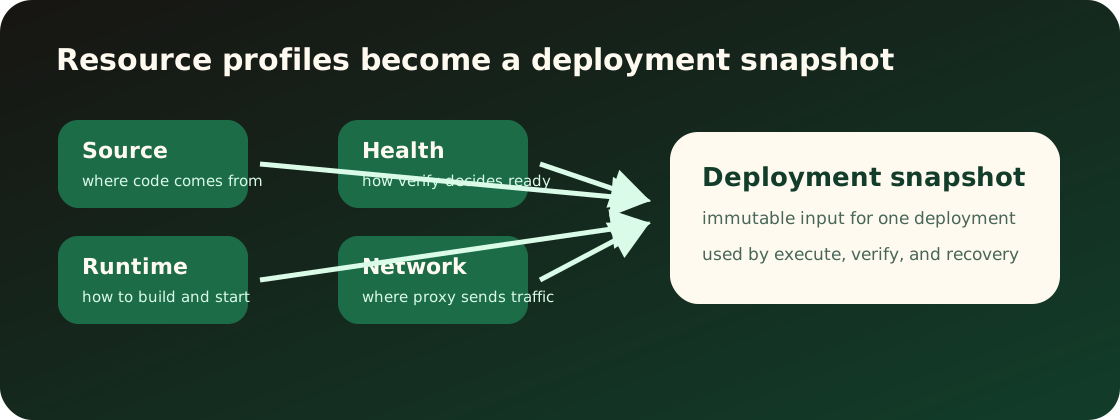
Source profile
Source profile 告诉 Appaloft 从哪里读取应用。它属于资源,而不是某一次部署的临时参数。
已有入口应支持这些常见输入:
- 本地目录或当前工作区 source。
- Git repository、ref 和 base directory。
- 自动化环境提供的源码快照。
- 镜像、静态站点或 Compose 相关来源摘要。
Source profile 改变后,新的部署会读取新来源。已经完成或正在执行的部署继续使用自己的部署快照。保存 source profile 不会拉取源码、创建部署或重启当前运行时。
Runtime profile
Runtime profile 描述 Appaloft 应该如何运行资源。它包含安装、构建、启动、静态输出目录、容器命名意图和运行策略。
用户能配置或观察的重点:
- 安装命令和构建命令。
- 启动命令或镜像入口。
- 静态站点 publish directory。
- 运行时策略,例如 auto、Docker/OCI 或静态发布。
- 运行进程预期监听的端口会在 network profile 中确认。
部署时,Appaloft 会把 source profile 和 runtime profile 一起转成运行计划。计划应解释将执行什么,而不是只显示不可读的内部结构。
保存 runtime profile 是一次 durable resource profile edit。它只改变后续部署使用的规划输入,不会修改历史 deployment snapshot,也不会立即重启、重命名或替换正在运行的 workload。
Source 和 runtime 的匹配
如果来源和运行策略明显冲突,用户应在部署前看到可执行的修正建议。
常见不匹配:
- 静态站点没有 publish directory。
- Git 仓库没有可识别的构建线索,且 runtime profile 为空。
- 镜像来源却配置了源码构建命令。
- 应用实际监听端口和 network profile 不一致。
入口说明
Web console 应在资源创建和资源配置页展示 source/runtime profile,并用 ? 解释字段含义。
CLI 应把 resources create、resources configure-source、resources configure-runtime 的参数映射到同一套概念。交互式 CLI 可以询问缺失字段,但不能用另一个名字表示相同输入。
HTTP API 应复用资源配置 schema,不应定义 transport-only 的 source/runtime 字段。
如何确认配置生效
配置后可以通过资源详情确认 source/runtime profile 摘要。下一次部署会把这些 profile 写入部署快照;旧部署详情里的 snapshot 仍保持当时捕获的值。部署失败时先看失败阶段:detect 多半是 source 问题,plan 多半是 source/runtime/profile 匹配问题。
CLI 示例:
appaloft resource configure-source res_web \ --kind git-repository \ --locator https://github.com/example/web \ --git-ref main \ --base-directory apps/webappaloft resource configure-runtime res_web \ --strategy static \ --build-command "bun run build" \ --publish-directory distHTTP API 示例:
POST /api/resources/res_web/runtime-profileContent-Type: application/json
{  "strategy": "static",  "buildCommand": "bun run build",  "publishDirectory": "dist"}