
Deploy an app
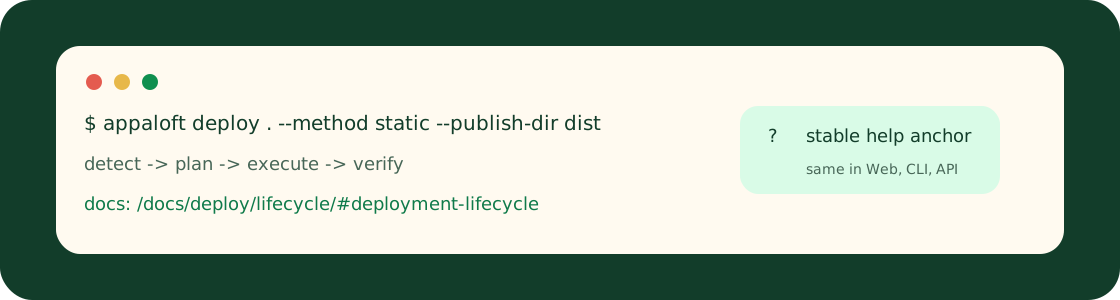
Choose a deployment source
A deployment source can be a local folder, Git repository, Docker image, Compose manifest, or static site. This choice controls what Appaloft reads during detect and what runtime strategy the plan can produce.
Web, CLI, and HTTP API surfaces should explain source input with the same vocabulary: it describes what to deploy, not a replacement for project, server, environment, or domain configuration.
Minimal CLI example:
appaloft deploy . \ --project prj_example \ --environment env_production \ --server srv_primary \ --method static \ --publish-dir dist \ --port 3000HTTP API example:
POST /api/deploymentsContent-Type: application/json
{  "projectId": "prj_example",  "environmentId": "env_production",  "serverId": "srv_primary",  "resourceId": "res_web",  "source": {    "kind": "git-repository",    "locator": "https://github.com/example/web",    "gitRef": "main",    "baseDirectory": "."  }}
Relink a deployment source
Source relink is an explicit recovery action when the source attached to a resource or deployment history is no longer reachable, or when the user needs to move the same resource to a new repository, path, or image. It changes what later detect and plan stages read, so it should not be treated as an ordinary retry.
Before relinking, confirm the target resource, current source, new source, and expected environment. After relinking, use the next deployment or resource detail view to confirm Appaloft reads from the new source.
Deployment lifecycle
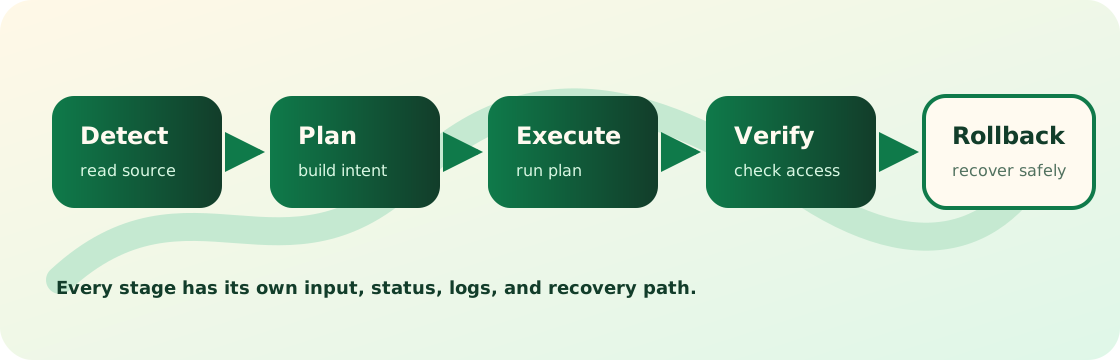
Appaloft models deployment as detect -> plan -> execute -> verify -> rollback.
Detect
Detect reads source and configuration evidence to identify the app type, build flow, runtime entrypoint, and network needs.
Plan
Plan turns resource source, runtime, health, and network settings into an executable plan.
Execute
Execute builds, uploads, starts, and routes the app in the selected target environment.
Verify
Verify checks process state, health policy, proxy route, and reachable access URLs.
Rollback
Rollback is the recovery path. Failure pages should explain what can be retried and what requires a manual fix.
Clean up preview deployments
Preview cleanup removes deployments created for a pull request, branch, or temporary source. It is an explicit lifecycle operation: the cleanup target must be identified by preview type and preview id, and must not delete production environments or ordinary deployment history by accident.
After cleanup, check resources, deployment lists, access routes, and runtime logs to confirm the preview instance stopped and its generated access URL is no longer shown as an active entrypoint.